
The 10 Eccommerce Tools We Use To Produce 3,000+ Ads Per Month

.avif)
.avif)
.avif)
We produce over 3,000 ads per month across our clients. That kind of output doesn’t happen because we have a massive team. It happens because we have a system, and that system runs on a specific set of tools.
Most “best ecommerce tools” lists are written by people who’ve never managed creative operations at this scale. They recommend software based on feature pages and affiliate commissions, not based on whether the tool actually holds up when you’re running 400+ ads in a single account and every piece of the pipeline needs to talk to every other piece.
This article shares the actual stack we use at Kynship to manage content, launch ads, collect customer creative, seed influencers, and keep the entire machine moving without adding headcount every time volume increases. We’re also sharing four AI use cases that have become a meaningful part of how we operate.
Now, these aren’t the only tools that work. But these are the ones we’ve used across multiple clients at real scale, and they’ve held up.
1. Dropbox: The Content Library That Doesn’t Break at Scale
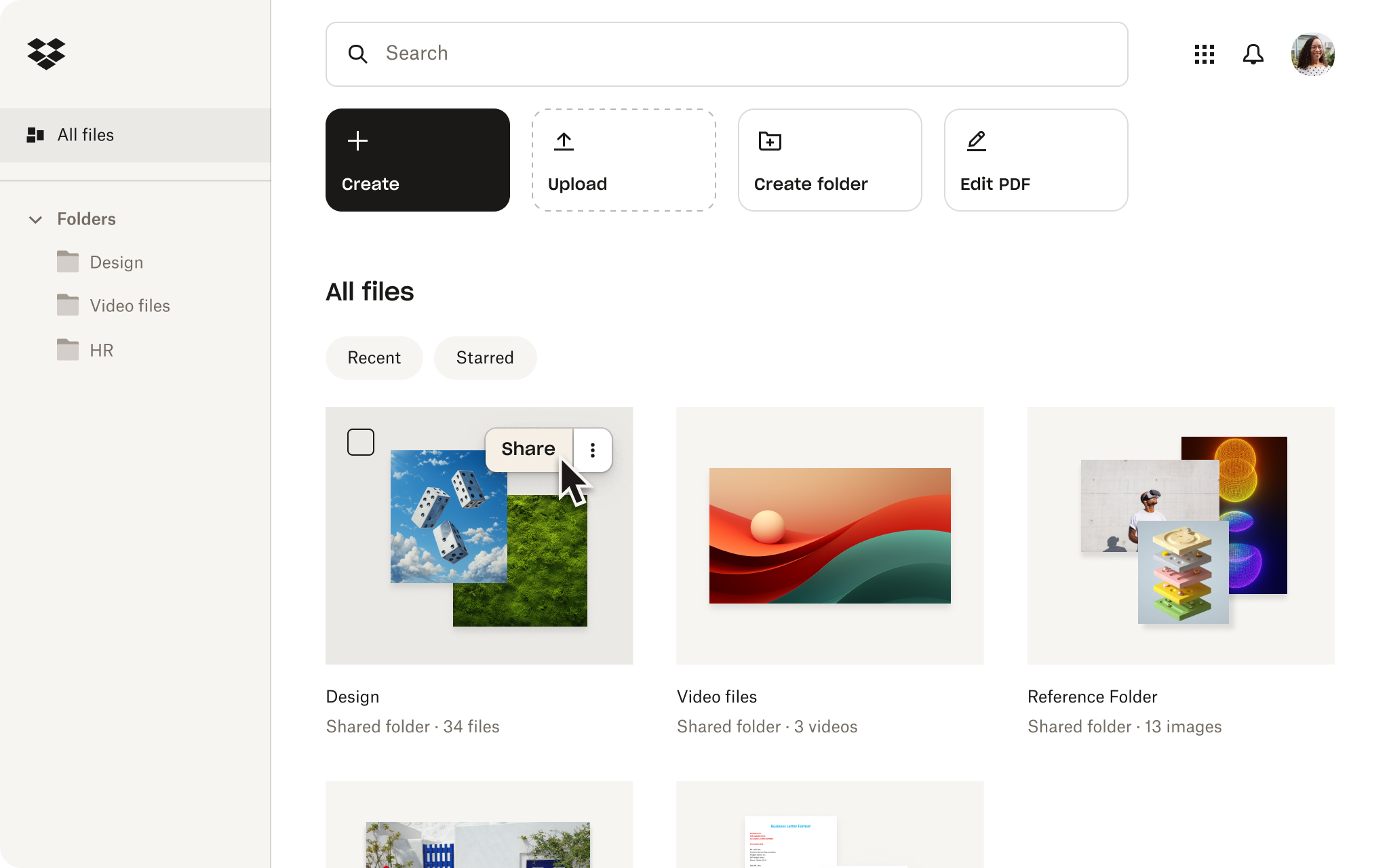
When you’re producing thousands of creative assets per month across CGC, UGC, and IGC pipelines, the operational bottleneck that shows up first is content management.
All of your raw customer videos, influencer posts, edited 9:16 cuts, static variations, and winning hooks need to live somewhere your team can access without asking someone where the file is. And that somewhere needs to handle the volume without turning into a graveyard of unsearchable folders.
We use Dropbox as our central content library. We organize by client, then by content type (CGC, UGC, IGC), then by status (raw, edited, live, retired). When a media buyer needs to pull a new batch of assets to test, they know exactly where to look, and the assets are already tagged by the pipeline they came from.
A few features that matter at scale:
- Replay lets our team review video assets and leave frame-accurate, timestamped feedback directly on the video. When you’re processing dozens of CGC and UGC submissions per week, this eliminates the “at around the 2:15 mark” back-and-forth in Slack. The editor sees exactly where the note applies, makes the cut, and moves on.
- Version history keeps every iteration of an asset traceable without cluttering the folder with files named “FINAL_v3_THISONE.” When a creative gets reworked for a new angle or a different platform format, the previous version is still accessible if you need to roll back or reference what the original looked like.
- Shared folders with permissions allow us to give clients, editors, and media buyers access to exactly what they need without exposing the full library. An editor working on Client A’s assets doesn’t accidentally see Client B’s folder, and a client reviewing final cuts doesn’t get confused with raw submissions.
When your creative system is producing at the volume required to keep an ad account healthy (and we’ve talked extensively about why that volume is non-negotiable), the challenge shifts from “we don’t have enough content” to “we can’t find or deploy the content we already have.” A well-structured Dropbox eliminates that problem.
The tool is simple. The structure you put inside it is what makes it work.
Price: Dropbox Business Standard costs $15/user/month (billed yearly), with 5 TB of team storage. The Advanced plan is $24/user/month with 15 TB+ storage and 1-year file recovery. Both offer a free trial.
2. AdManage: Turning Ad Launches From Chaos Into a System
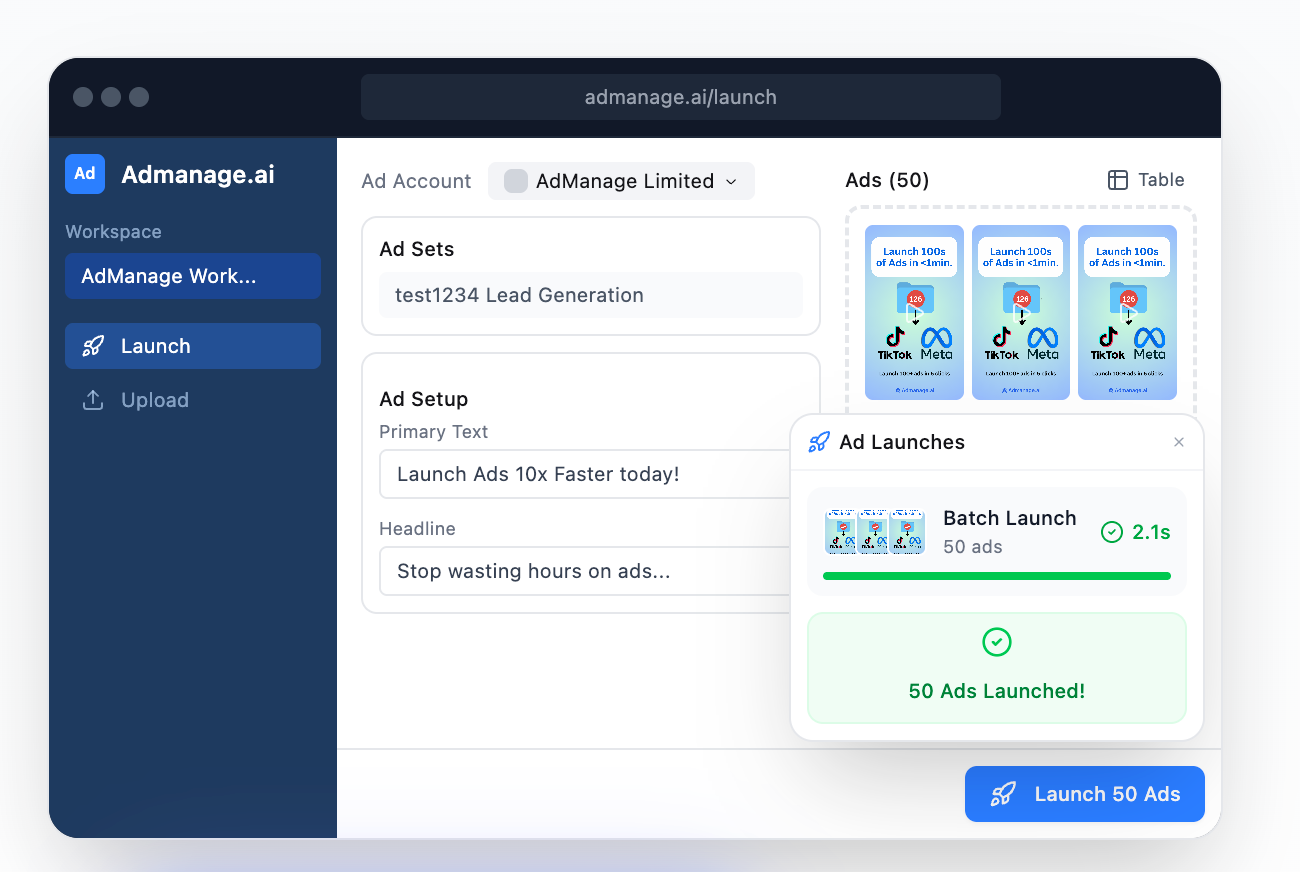
When you’re running 400+ ads in a single account, the launch process is where things start to fall apart. Getting ads from done to live without errors, inconsistent naming, broken UTMs, or hours of manual uploads inside Meta Ads Manager becomes harder with every new creative you produce.
AdManage solves this. We use it to bulk launch 100+ ads in seconds, which is what makes our volume-driven creative strategy operationally possible. Without a tool like this, the math doesn’t work. You’d either need to add media buyers to handle the upload volume or accept that most of your finished creative sits in a folder waiting to go live.
The features we rely on most:
- Bulk launching with automated naming conventions is the foundation. Every ad that goes live follows a consistent naming structure automatically, which means every downstream report, every performance analysis, and every creative audit pulls clean data. When you’re trying to identify which hooks, formats, or pipelines are producing winners, inconsistent naming turns that analysis into guesswork.
- Post ID launching preserves social proof when you scale a winning ad. Instead of duplicating the creative into a new ad set and starting from zero engagement, AdManage launches it using the original Post ID. The ad carries its existing likes, comments, and shares into the new campaign. This is a small detail that compounds over time, especially for ads that are already converting.
- Creative-level reporting lets us see which specific ads are earning spend and why. AdManage surfaces your top performers with key metrics like ROAS and CTR, sortable by any dimension you care about. When you’re testing at the volume we test at, you need to identify winners fast and scale them before fatigue sets in. Scrolling through Meta Ads Manager to find that signal is not a realistic workflow at 400+ ads.
- One-click duplication means scaling a winning ad set or launching a single ad into a new campaign takes seconds. The automation options are flexible enough that you can customize how the duplication works, which matters a lot when you’re managing cost controls across different parts of the account.
The core principle here is the same one that drives our entire creative system: more shots on goal means more winning ads. But that only works if the launch and measurement infrastructure can keep pace with the creative volume. AdManage is what makes that possible for us.
Price: AdManage Essential starts at £99/month for one Meta ad account. The In-House plan is £499/month for five ad accounts with unlimited teammates and multiple workspaces.
3. VideoAsk: Collecting Customer Video Content at Scale
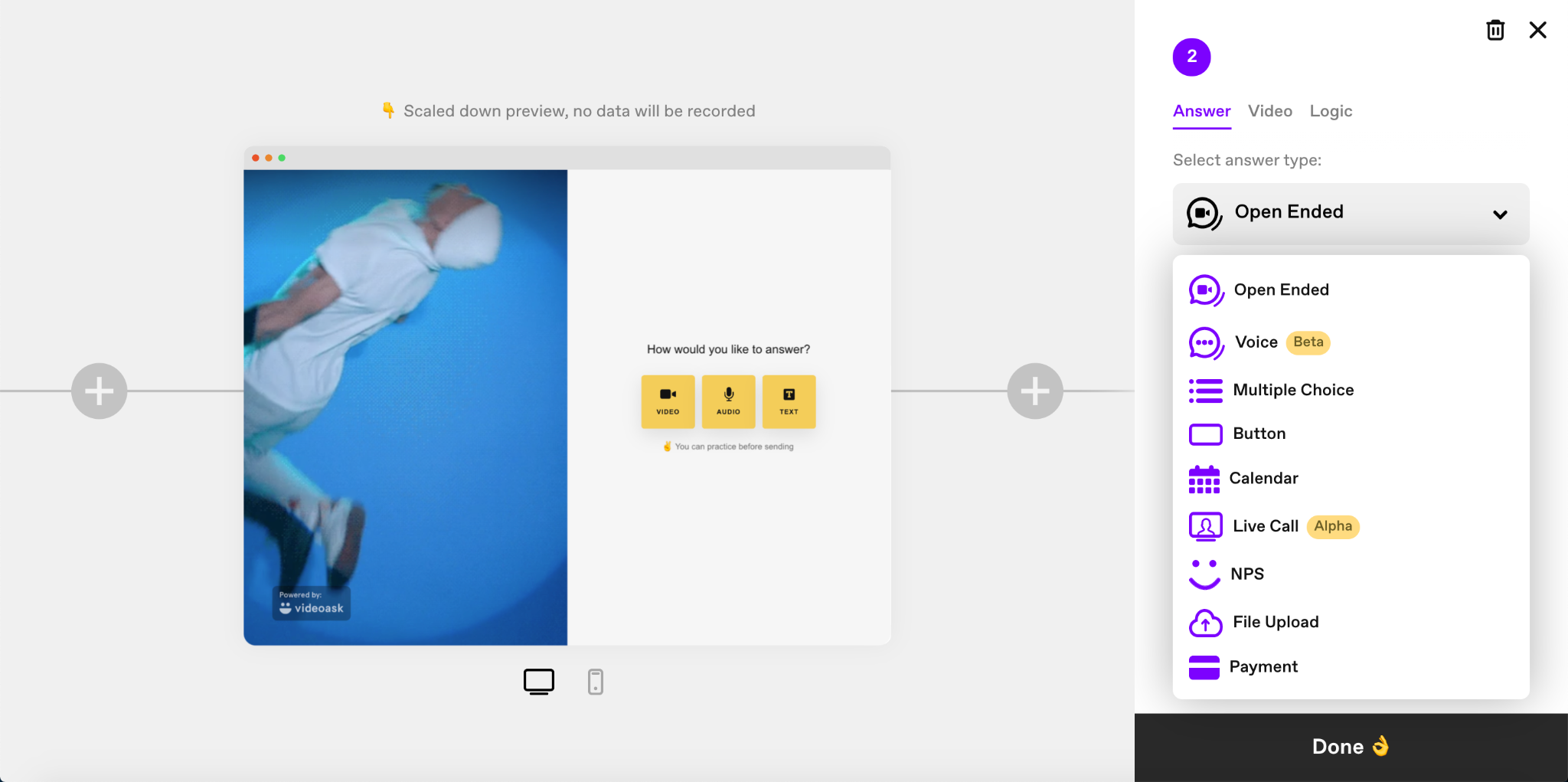
CGC is the most authentic content in your creative system because it comes from real customers who already chose your product. The challenge is collecting it. Most brands send a single email asking for a testimonial, get a handful of responses, and assume their customers don’t want to participate. The problem is usually the submission process, not the willingness.
VideoAsk is where we send customers to actually record and submit their videos. The Klaviyo flows (which we’ll cover next) drive the traffic. VideoAsk is the destination.
Here’s how it fits into our CGC workflow: we segment high-LTV customers (2+ purchases, 60+ days post-purchase), offer store credit or free product as an incentive, and drive them through a 3-email + 3-SMS Klaviyo sequence that links to a VideoAsk. The customer clicks the link, sees a simple video prompt, records a 15 to 30 second response on their phone, and submits. The entire process takes under two minutes.
What makes it work for CGC specifically:
- Video, audio, and text response options mean camera-shy customers can still participate. You’d rather have a written testimonial than no testimonial, and some of those text responses end up as strong ad copy even if they never become video assets.
- Automatic transcription on every video submission saves hours of manual review. When you’re processing dozens of customer videos per month, being able to scan transcripts to identify the strongest hooks and language patterns is how you turn raw CGC into ad-ready material faster.
- Branching logic lets you route different customers through different prompts. A first-time buyer might get a general “what made you try us” question, while a repeat purchaser gets a more specific “what keeps you coming back” prompt. Different questions surface different types of content, which gives your creative team more variety to work with.
- Embeddable widgets mean you can place the VideoAsk directly on a post-purchase page or a dedicated landing page rather than relying solely on email links. More entry points into the submission flow translate to more submissions over time.
At the always-on scale we run CGC, you can expect roughly a 0.5% to 1.5% submission rate. That sounds small, but across a customer base of thousands, it produces a steady stream of authentic video content that most brands don't come close to matching in an entire year.
Price: VideoAsk has a free Start plan with limited processing minutes. The Grow plan is $24/month (billed annually) and the Brand plan is $40/month (billed annually) with custom branding and higher processing limits.
4. Klaviyo: Automating the Content Request Pipeline
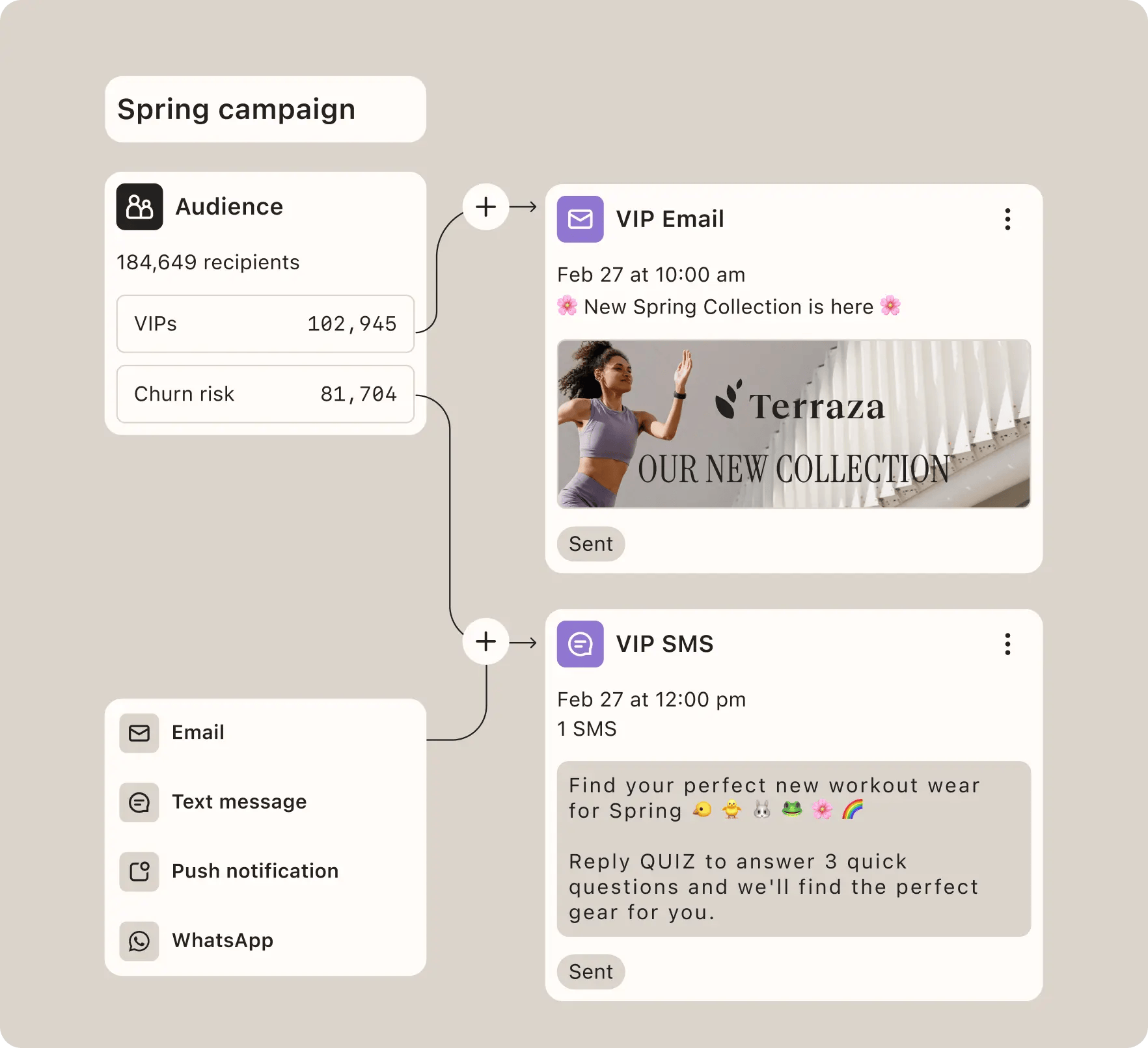
VideoAsk is where customers submit content. Klaviyo is what gets them there.
We build a dedicated CGC request flow inside Klaviyo for every client: 3 emails and 3 SMS messages, spaced out over a few weeks, targeting customers who are 60+ days post-purchase with at least one successful delivery. The emails explain what we’re asking for, the SMS messages act as reminders, and every touchpoint links directly to the VideoAsk submission page.
This reality is asking for content from your customers just once doesn’t work. Most customers see the first email, think “maybe later,” and forget. The multi-touch flow is what turns a 0.1% response rate into the 0.5% to 1.5% range that actually produces usable content at scale.
What we use Klaviyo for in this context:
- Segmentation based on purchase behavior lets us target the right customers. We’re looking for high-LTV buyers, repeat purchasers, and customers who’ve had enough time with the product to form a real opinion. Klaviyo’s native integrations with major ecommerce platforms make this segmentation straightforward, and it updates dynamically as new customers qualify.
- Conditional flow logic means the sequence adapts. If a customer clicks the VideoAsk link in email one, they get a different follow-up than someone who didn’t open at all. If someone submits a video, they exit the flow and enter a thank-you sequence instead of getting two more reminder texts.
- SMS and email in one platform keep the CGC flow consolidated. Running email through one tool and SMS through another creates gaps in timing and sequencing. Klaviyo handles both, which means the 3-email + 3-SMS cadence operates as a single coordinated system.
- Repeatable templates across clients save setup time. Once we’ve built a CGC request flow that works, we can replicate the structure for a new client and adjust the copy, incentive, and timing without rebuilding from scratch. At the number of clients we manage, that replicability saves a ton of time.
Most brands already use Klaviyo for retention flows and post-purchase sequences. The point here is that the same tool can power your CGC pipeline if you build the right flows, which means you don’t need another platform to solve this problem.
Price: Klaviyo offers a free plan for up to 250 contacts with 500 monthly email sends. Paid plans charge based on the size of your list and the volume of texts you need. For 1,001–1,500 email subscribers and 1500 SMS, for example, the total cost comes to $70/month.
5. SARAL: Scaling Influencer Seeding Without Growing the Team
Influencer seeding is one of our three core creative pipelines. For every 500 micro-influencers we contact, roughly 100 respond, and around 30 will voluntarily post content. That math produces roughly 30 unique, authentic creative assets for the cost of the product alone.
But running that process manually across spreadsheets, email threads, and DMs is where most brands stall out. The discovery and outreach takes hours, tracking who posted and who didn’t takes more hours, and requesting usage rights gets lost in someone’s inbox.
SARAL consolidates the entire seeding workflow into one platform: find influencers, automate outreach, ship product, track posts, and request content rights.
Here’s what we use it for:
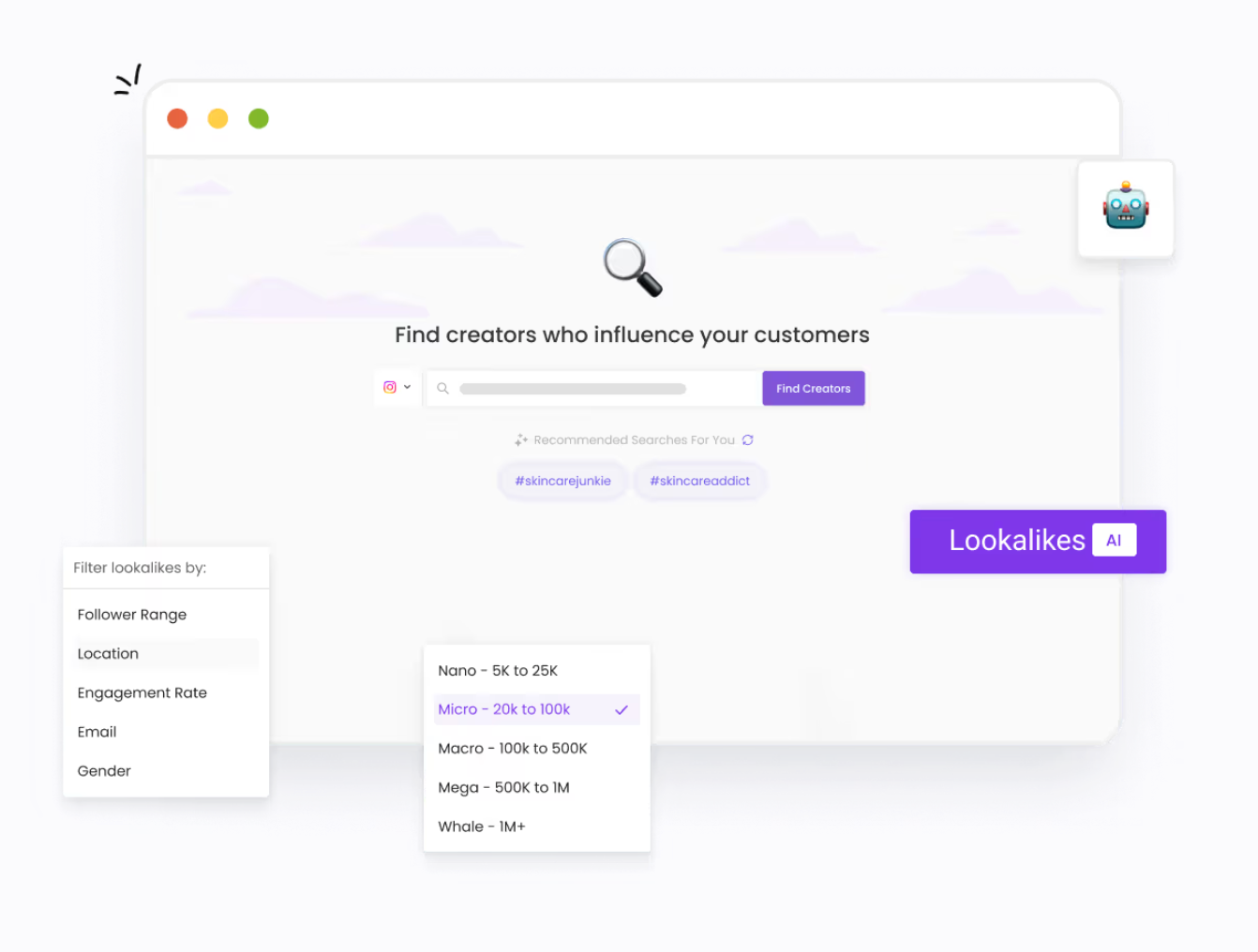
- Influencer discovery at volume is the starting point. SARAL lets you search across Instagram, TikTok, and YouTube by engagement rate, follower count, audience demographics, and niche. The Lookalikes AI feature is especially useful. Once you identify a handful of creators who performed well for a client, the tool can surface similar profiles automatically, which speeds up the process of building your next batch of 500.
- Automated outreach with personalized follow-ups replaces the manual email grind. You can build sequences that feel personal while running at the volume seeding requires. SARAL reports response rates of 30 to 40% on outreach, which is significantly higher than what most brands see when sending cold DMs or generic emails.
- Social listening and auto-tracking solve the “did they actually post?” problem. When a seeded influencer mentions the brand or tags the product, SARAL catches it. From there, you can request usage rights directly within the platform, download the content, and pass it to your editing team to cut into ad-ready assets. This is the bridge between seeding and paid creative, and without it, brands lose track of content that should be running as whitelisted ads.
- Built-in affiliate tracking means you can generate tracking links and discount codes inside SARAL and monitor which influencers are actually driving sales. This closes the loop between seeding investment and revenue, which is how you justify scaling the program from 500 influencers to 1,000+.
Seeding works because it produces authentic content at a fraction of what you’d pay for professional UGC, and it generates organic impressions that offset rising paid media costs. SARAL is what makes the operational side of that strategy manageable without hiring a dedicated influencer coordinator.
Price: The Starter plan is $3,600/quarter with 250 active partnerships and one seat. The Business plan is $4,500/quarter with 500 active partnerships, unlimited influencer post tracking, and five seats.
6. Refunnel: Capturing Every Piece of Content Your Brand Gets Tagged In
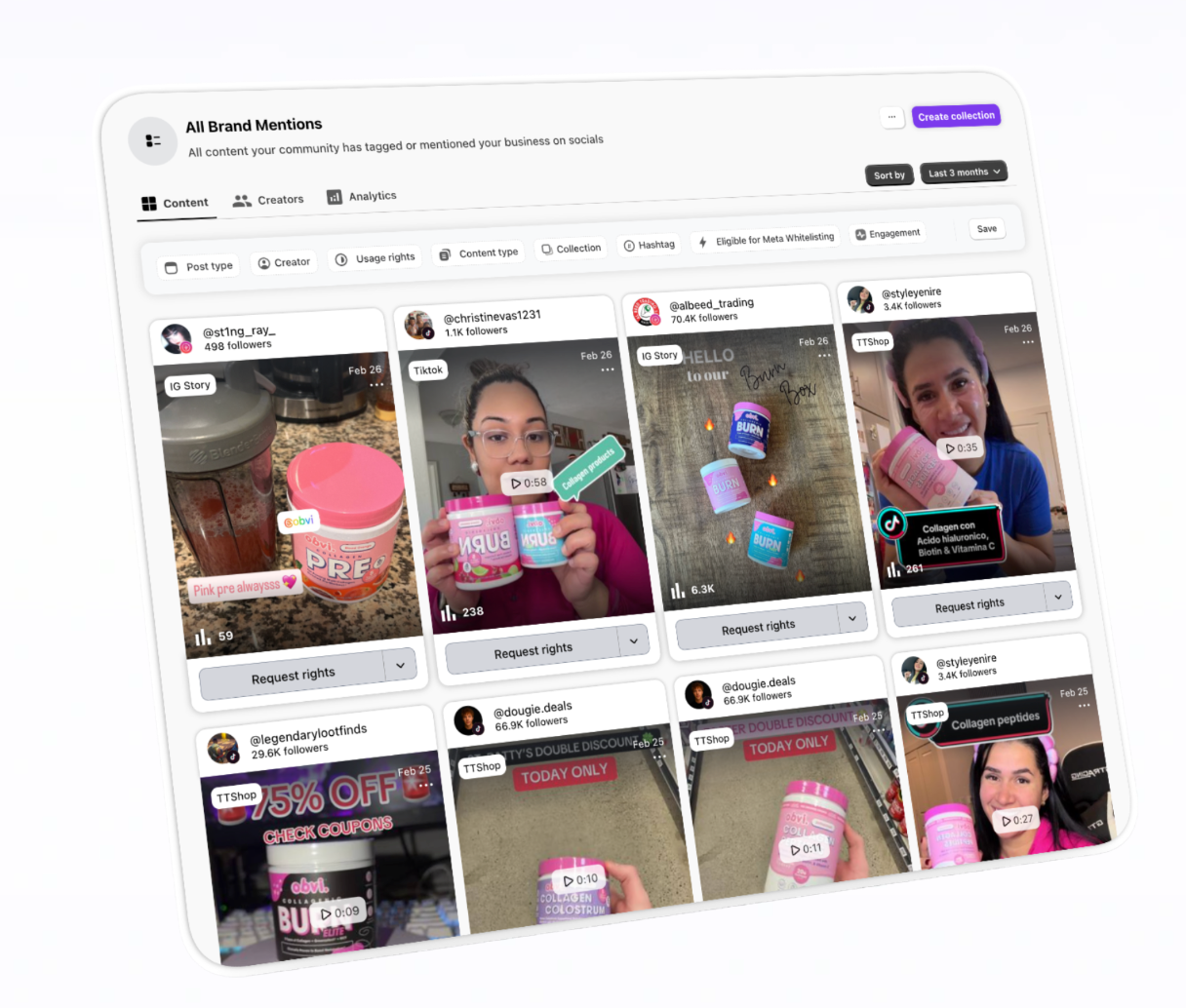
When you’re running influencer seeding and CGC pipelines simultaneously, content is being created about your brand constantly. Influencers post after receiving a product. Customers share unboxings. Someone tags your brand in a story. The problem is that most of this content goes untracked. It lives on Instagram and TikTok for 24 hours, nobody on your team sees it, and the asset that could have become a whitelisted ad disappears.
Refunnel automatically captures every piece of content your brand gets tagged in across Instagram and TikTok, organizes it in one dashboard, and gives you the tools to secure usage rights and turn that content into ads.
Where this connects to the rest of our stack:
- Automated social listening across Instagram and TikTok means nothing slips through. Reels, feed posts, story mentions, TikTok videos, and TikTok Shop content all get captured and stored automatically. When you’re seeding 500+ influencers through SARAL, you need a system that catches every post without someone manually checking each creator’s profile. Refunnel is that system.
- Usage rights management lets you request permission to repurpose a creator’s content with a few clicks. Once rights are secured, the content is cleared for paid use, whether you’re running it as a whitelisted ad from the creator’s handle or pulling it into your own ad account. This step is where most brands lose time or skip entirely, which leaves strong-performing organic content sitting unused.
- TikTok Spark code management is a specific feature worth calling out. Spark Ads let you run a creator’s organic TikTok post as a paid ad while keeping the original engagement and social proof intact. Refunnel manages the Spark code process directly in the platform, which saves the back-and-forth of requesting codes through DMs.
- UGC reward campaigns let you actively source content from your customer base by running challenges with incentives. This complements the CGC pipeline we run through Klaviyo and VideoAsk by giving you an additional channel for collecting content, especially from customers who engage more on social media than through email.
- Per-post engagement stats and aggregate reporting give you visibility into which pieces of content are performing on organic before you invest in running them as paid. If a seeded influencer’s post is already getting strong engagement, that’s a signal to prioritize it for whitelisting.
Refunnel complements SARAL well: SARAL manages the outreach, relationship, and discovery side of seeding. Refunnel manages what happens after someone posts. Together, they close the loop between sending products and turning the resulting content into ads.
Price: Social Listening plan starts at $499/month with unlimited Instagram and TikTok tracking, usage rights management, and Spark code management. The Growth and Enterprise plans are custom-priced.
Where AI Fits in This System
The six tools above handle the core operations: content management, ad launches, customer content collection, influencer seeding, and content tracking. The next four are AI tools we use to move faster across those same workflows. Each one solves a specific problem, and we’ll show you exactly how we use it.
1. Claude: Scaling Ad Copy and Hook Variations
When a hook works, you need 20 variations of it fast. Different angles on the same core message, different opening lines, different lengths for different placements. Doing this manually means a copywriter spends half a day producing what Claude can generate in minutes.
Here’s an example. Say we’re running ads for a skincare client and this hook is converting well:
“I stopped spending $300/month on facials when I found this.”
We paste that into Claude along with the product’s key benefits, customer language pulled from reviews and CGC submissions, and a prompt like:
“Here’s a hook that’s converting at 2.3% CTR for a skincare brand. The product is a $45 at-home facial kit. Core customer objections before purchase were price skepticism and whether it actually works as well as professional treatments. Give me 15 variations that preserve the core message (switching from expensive professional treatments to this product) but test different emotional angles, different lengths (under 5 words, 5-10 words, full sentence), and different opening structures (question, statement, statistic, direct address).”
What comes back is something like:
- $300 facials? Never again.
- My dermatologist hates this.
- Why am I still paying $300 for facials?
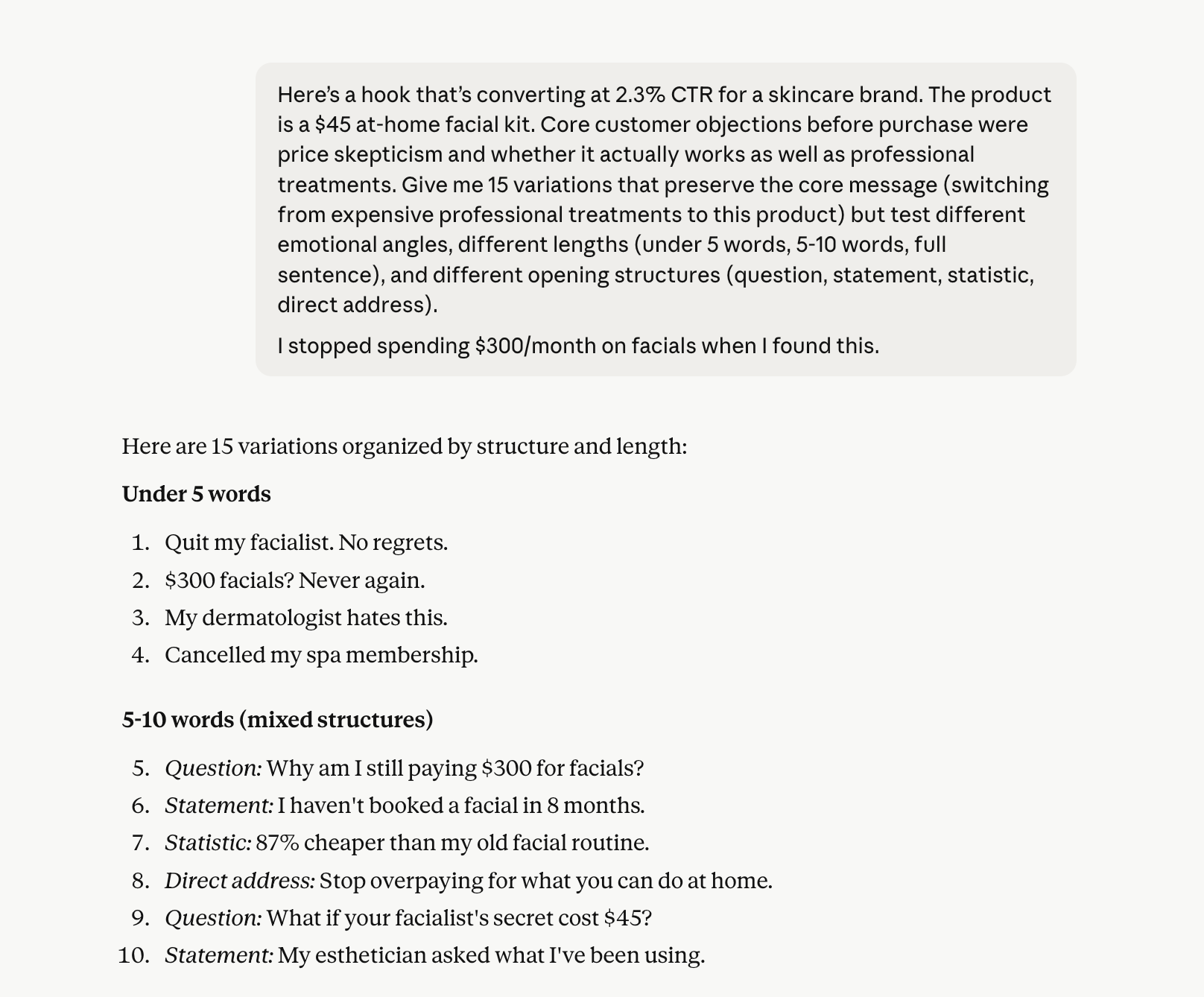
Some of those will be usable as-is. Others need editing. The point is that you go from one proven hook to a batch of testable variations in under two minutes instead of briefing a copywriter, waiting, reviewing, and iterating over days.
The key is feeding Claude the right inputs. Raw customer language from CGC submissions, the specific objections customers had before buying, and the exact phrasing from your top-performing ads. Without those inputs, you get generic marketing copy. With them, you get variations that sound like they came from someone who actually uses the product.
Pro tip: Create a Project in Claude for your ad copies in various segments. Feed all Projects the brand guidelines, top-performing ad copy, customer review language, and product documentation into a Project, and Claude references all of it when generating. Instead of re-pasting context into every prompt, the Project holds it persistently. So when you ask for 15 hook variations, Claude already knows the brand voice, the objections customers care about, and which angles have worked before.
We also use Claude to generate static ad copy at volume, write creative briefs for UGC creators, and draft talking points for influencer seeding outreach. Anywhere the task is “take this proven angle and produce more versions of it,” Claude handles it.
Price: Claude offers a free tier. The Pro plan is $20/month with extended usage limits. For teams, the Team plan is $25/user/month.
2. Triple Whale: Turning Performance Data Into Faster Decisions
Most DTC brands spending $200K+ per month on ads are drowning in dashboards. Shopify, Meta, Klaviyo, GA4, and a spreadsheet someone on the finance team built. The data exists, but the time it takes to pull it together, compare it against forecast assumptions, and surface what actually needs attention eats hours every week.
Triple Whale consolidates your ecommerce data into one platform and lets you query it using natural language through its AI assistant, Moby. Instead of building a custom report to answer “which products had the highest contribution margin last month among new customers,” you ask Moby and get the answer.
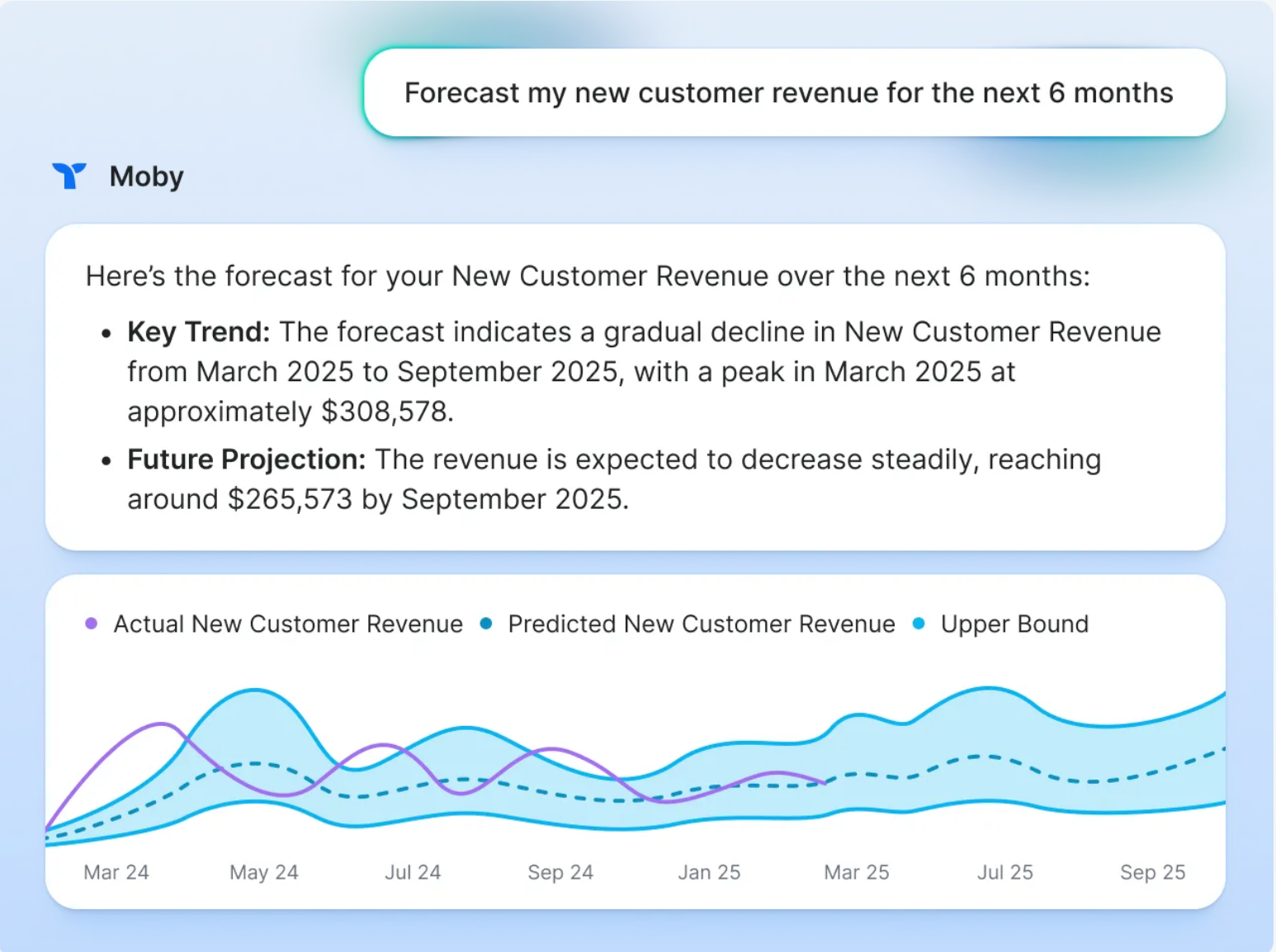
Here's what that looks like in practice. Say it’s mid-month and your aMER has been drifting down for two consecutive weeks. Instead of pulling exports from three platforms and cross-referencing in a spreadsheet, you open Triple Whale and ask Moby:
“What's my aMER trend over the last 30 days, broken down by new vs. returning customers?”
Moby shows you that returning customer revenue is flat but new customer CAC spiked 18% in the last two weeks. So you follow up:
“Which campaigns had the highest new customer CAC increase week over week?”
Now you can see that two specific campaigns are dragging the number up. You check those campaigns in AdManage, look at which creatives are earning spend, and find that the top-spending ads in both campaigns have been running for 25+ days. The culprit: creative fatigue. You pull fresh assets from Dropbox, launch new variations through AdManage, and the issue is addressed the same day it was identified.
That whole sequence, from noticing a problem to diagnosing the cause to acting on it, took 30 minutes instead of waiting until a weekly report surfaced the issue days later.
Triple Whale also includes creative analytics that show which specific ads are driving revenue (not just clicks), which ties directly into AdManage’s reporting. The two tools complement each other: AdManage tells you which ads are earning spend inside the account, Triple Whale tells you which ads are actually producing profitable customers downstream.
Price: Triple Whale offers a free plan for basic attribution. Paid plans start at $149/month and scale based on revenue and feature needs.
3. Jasper: Keeping Brand Messaging Consistent Across Channels
When you’re producing 3,000+ ads per month, running email flows through Klaviyo, managing landing pages, and briefing dozens of UGC creators simultaneously, messaging drift is inevitable.
An ad says one thing, the landing page frames the benefit differently, and the post-purchase email introduces a completely different value prop. No single piece is wrong on its own, but the cumulative effect is a brand that feels inconsistent to anyone who encounters more than one touchpoint.
Jasper’s Brand Voice feature is what makes it useful for this specific problem. You upload your brand guidelines, tone documentation, and examples of how you talk about your product, and Jasper uses that as a reference layer for everything it generates.
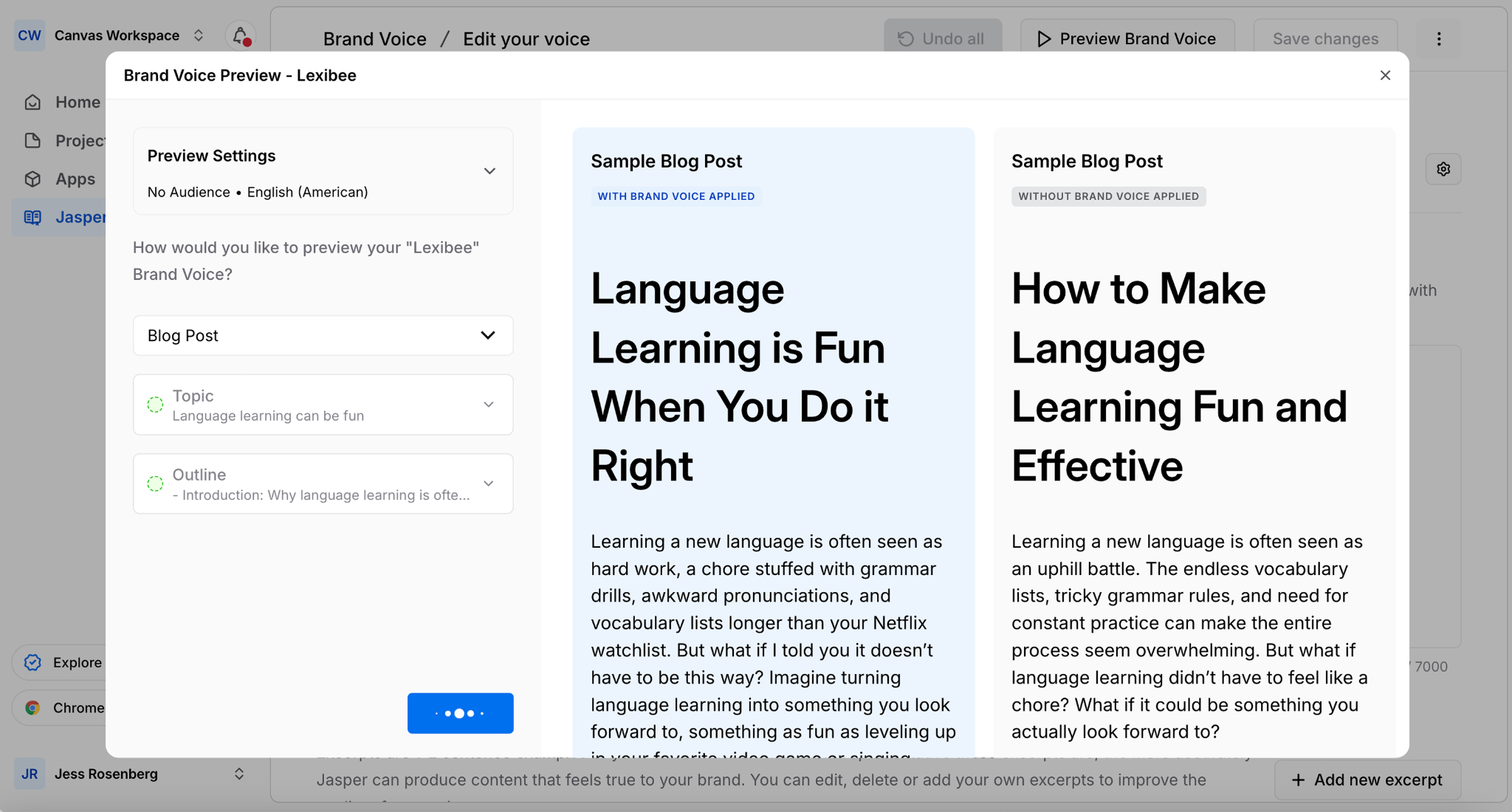
Here’s how we use it. Before a campaign launch, we run the full set of copy through Jasper with the brand voice active. Say a supplement brand is launching a new product and the team has produced:
- Ad copy: “Clinical-strength gut support that actually works. Try it risk-free.”
- Email subject line: “Your stomach problems end here.”
- Creator brief talking point: “Talk about how this supplement transformed your digestive health.”
The ad says “clinical-strength” and “risk-free.” The email says “stomach problems end here,” which is a much more aggressive, almost cure-like claim that doesn’t match the brand’s positioning. The creator brief uses “transformed,” which implies a dramatic before-and-after the brand may not want to promise.
Jasper flags these inconsistencies against the uploaded brand voice. The revised set comes back as:
- Ad copy: “Clinical-strength gut support that actually works. Try it risk-free.” (no change needed)
- Email subject line: “The gut support your routine is missing.”
- Creator brief talking point: “Talk about how adding this supplement to your routine changed how you feel day to day.”
Now all three touchpoints reinforce the same framing: this is clinical-grade, it fits into your existing routine, and the benefit is about feeling better, not about curing a problem. That consistency across hundreds of touchpoints is what builds a brand that people recognize and trust.
This takes 20 minutes before a launch and catches drift that would otherwise go live.
Price: Jasper’s Pro plan begins at $69/month for one seat and has a seven day free trial. Businesses can contact sales for custom pricing.
4. Creatify: Generating Video Ad Variations From a Product Link
The first three AI tools handle copy, data, and consistency. Creatify handles video, which is where most brands hit a wall when trying to produce creative at volume.
Shooting new video for every ad variation is expensive and slow. But the algorithm needs fresh creative constantly. Creatify bridges that gap by generating video ad variations from a product URL, complete with scripts, AI avatars, voiceovers, and visuals.
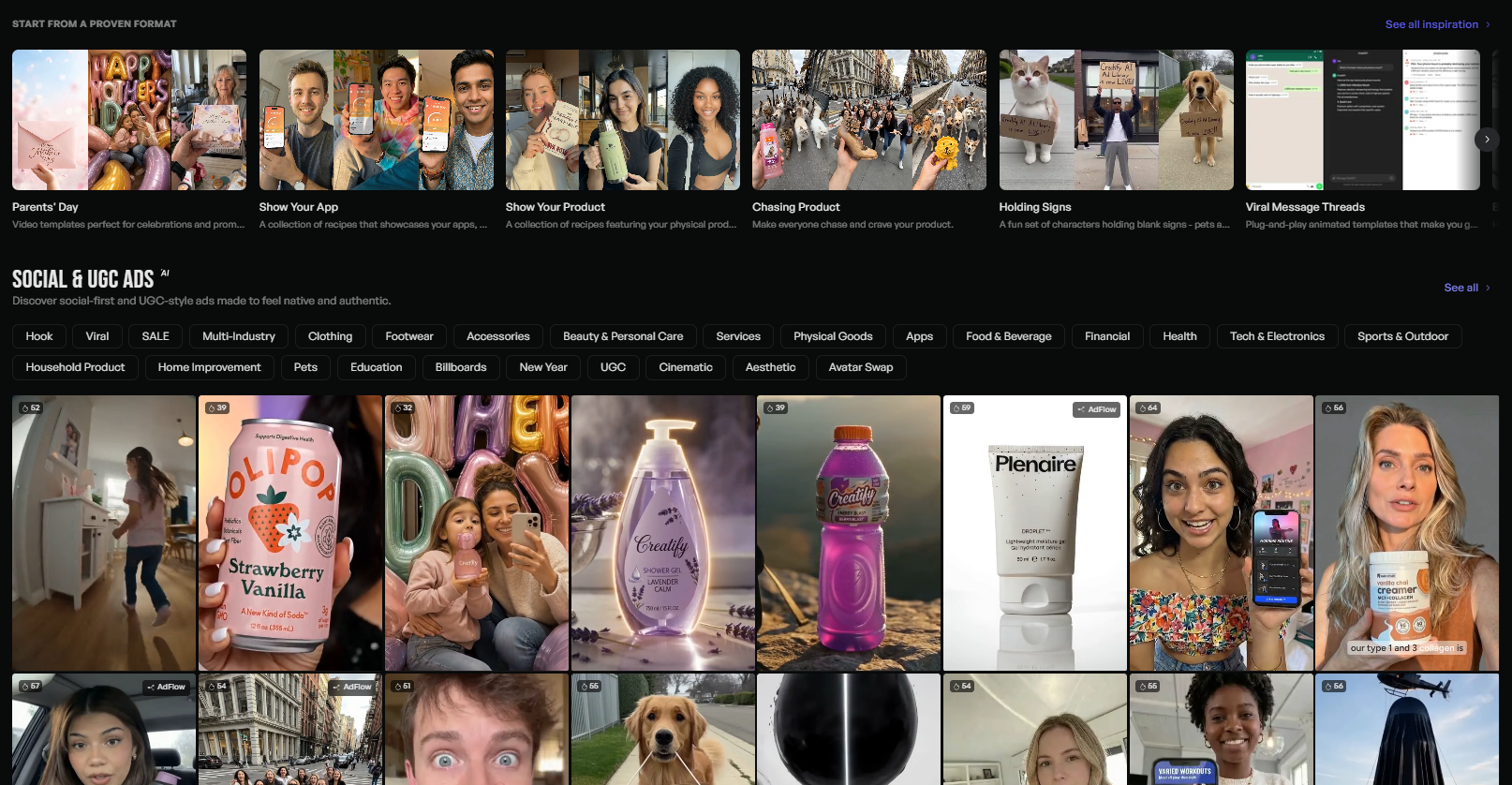
Here’s what this looks like in practice. Say you’re running a supplement brand and one of your CGC videos performed well with the hook “I've tried every gut supplement on the market and this is the only one that didn't make me bloated.”
The angle works, but you only have one video asset. You need variations to test different formats, lengths, and presenters before the original fatigues.
You paste the product page URL into Creatify. The AI pulls the product images, key benefits, and pricing from the page. You feed it the winning hook and tell it to generate five variations (that you can brainstorm with Claude):
- A 15-second version with a female avatar for TikTok
- A 30-second version that opens with the hook and adds a product walkthrough
- A version that leads with a question: “Why does every gut supplement leave you more bloated than before?”
- A version that leads with a stat: “83% of people who try gut supplements quit within 3 months”
- A UGC-style version with a casual, talking-to-camera delivery
Creatify generates all five with scripts, voiceovers, and visuals. You review the batch in the built-in editor, adjust any phrasing that feels off, swap out a background or product shot where needed, and export all five in 9:16 format, ready for TikTok and Meta Reels.
Getting the same output through a traditional production workflow would involve scripting each variation, briefing creators, waiting for footage, reviewing cuts, requesting revisions, and exporting. That takes days and costs significantly more.
One important note on where this fits in the system: Creatify works best as a testing layer, not a replacement for your CGC, UGC, and IGC pipelines. If a Creatify variation performs well, that’s a signal to produce a higher-quality version through your UGC pipeline with a real creator. If it falls flat, you saved yourself the cost of a brief that wouldn’t have converted. Batch Mode lets you run this process across multiple products in one session, which is how you keep a high-volume ad account fed with fresh video without adding production hours.
Price: The Starter plan is $33/month for 100 credits and the Pro plan is $49/month with 700+ avatars, batch mode, and custom avatar creation. Credits are usage-based, so costs scale with volume.
The Tools Only Works If the System Does
You can buy every tool on this list and still struggle if the system underneath them isn’t built correctly.
- Dropbox only works if the folder structure maps to a creative pipeline that’s actually producing at volume
- AdManage only saves time if you have enough creative to launch in bulk
- VideoAsk and Klaviyo only generate CGC if the segmentation, incentive, and flow are calibrated to your customer base
- SARAL and Refunnel only justify their cost if seeding is running as a real pipeline with consistent outreach and follow-through
- The AI tools only multiply what’s already working
Every tool in this article sits inside a system: reverse engineer from your financial targets, produce creative at a volume the market demands, and scale new customer acquisition profitably. The tools make that system faster and more manageable. They don’t replace the thinking behind it.
At Kynship, we help DTC brands between $2M and $100M break through growth plateaus by building exactly this kind of system, from the financial forecast to the creative pipelines to the ad account management. If you want to talk about how this applies to your brand, book a call with us.
Or, if you found this useful, subscribe to Cut the CAC, our weekly newsletter focused on what's actually working in DTC right now.
4. Creatify: Generating Video Ad Variations From a Product Link
The first three AI tools handle copy, data, and consistency. Creatify handles video, which is where most brands hit a wall when trying to produce creative at volume.
Shooting new video for every ad variation is expensive and slow. But the algorithm needs fresh creative constantly. Creatify bridges that gap by generating video ad variations from a product URL, complete with scripts, AI avatars, voiceovers, and visuals.
Here’s what this looks like in practice. Say you’re running a supplement brand and one of your CGC videos performed well with the hook “I've tried every gut supplement on the market and this is the only one that didn't make me bloated.”
The angle works, but you only have one video asset. You need variations to test different formats, lengths, and presenters before the original fatigues.
You paste the product page URL into Creatify. The AI pulls the product images, key benefits, and pricing from the page. You feed it the winning hook and tell it to generate five variations (that you can brainstorm with Claude):
- A 15-second version with a female avatar for TikTok
- A 30-second version that opens with the hook and adds a product walkthrough
- A version that leads with a question: “Why does every gut supplement leave you more bloated than before?”
- A version that leads with a stat: “83% of people who try gut supplements quit within 3 months”
- A UGC-style version with a casual, talking-to-camera delivery
Creatify generates all five with scripts, voiceovers, and visuals. You review the batch in the built-in editor, adjust any phrasing that feels off, swap out a background or product shot where needed, and export all five in 9:16 format, ready for TikTok and Meta Reels.
Getting the same output through a traditional production workflow would involve scripting each variation, briefing creators, waiting for footage, reviewing cuts, requesting revisions, and exporting. That takes days and costs significantly more.
One important note on where this fits in the system: Creatify works best as a testing layer, not a replacement for your CGC, UGC, and IGC pipelines. If a Creatify variation performs well, that’s a signal to produce a higher-quality version through your UGC pipeline with a real creator. If it falls flat, you saved yourself the cost of a brief that wouldn’t have converted. Batch Mode lets you run this process across multiple products in one session, which is how you keep a high-volume ad account fed with fresh video without adding production hours.
Price: The Starter plan is $33/month for 100 credits and the Pro plan is $49/month with 700+ avatars, batch mode, and custom avatar creation. Credits are usage-based, so costs scale with volume.
The Tools Only Works If the System Does
You can buy every tool on this list and still struggle if the system underneath them isn’t built correctly.
- Dropbox only works if the folder structure maps to a creative pipeline that’s actually producing at volume
- AdManage only saves time if you have enough creative to launch in bulk
- VideoAsk and Klaviyo only generate CGC if the segmentation, incentive, and flow are calibrated to your customer base
- SARAL and Refunnel only justify their cost if seeding is running as a real pipeline with consistent outreach and follow-through
- The AI tools only multiply what’s already working
Every tool in this article sits inside a system: reverse engineer from your financial targets, produce creative at a volume the market demands, and scale new customer acquisition profitably. The tools make that system faster and more manageable. They don’t replace the thinking behind it.
At Kynship, we help DTC brands between $2M and $100M break through growth plateaus by building exactly this kind of system, from the financial forecast to the creative pipelines to the ad account management. If you want to talk about how this applies to your brand, book a call with us.
Or, if you found this useful, subscribe to Cut the CAC, our weekly newsletter focused on what's actually working in DTC right now.
4. Creatify: Generating Video Ad Variations From a Product Link
The first three AI tools handle copy, data, and consistency. Creatify handles video, which is where most brands hit a wall when trying to produce creative at volume.
Shooting new video for every ad variation is expensive and slow. But the algorithm needs fresh creative constantly. Creatify bridges that gap by generating video ad variations from a product URL, complete with scripts, AI avatars, voiceovers, and visuals.
Here’s what this looks like in practice. Say you’re running a supplement brand and one of your CGC videos performed well with the hook “I've tried every gut supplement on the market and this is the only one that didn't make me bloated.”
The angle works, but you only have one video asset. You need variations to test different formats, lengths, and presenters before the original fatigues.
You paste the product page URL into Creatify. The AI pulls the product images, key benefits, and pricing from the page. You feed it the winning hook and tell it to generate five variations (that you can brainstorm with Claude):
- A 15-second version with a female avatar for TikTok
- A 30-second version that opens with the hook and adds a product walkthrough
- A version that leads with a question: “Why does every gut supplement leave you more bloated than before?”
- A version that leads with a stat: “83% of people who try gut supplements quit within 3 months”
- A UGC-style version with a casual, talking-to-camera delivery
Creatify generates all five with scripts, voiceovers, and visuals. You review the batch in the built-in editor, adjust any phrasing that feels off, swap out a background or product shot where needed, and export all five in 9:16 format, ready for TikTok and Meta Reels.
Getting the same output through a traditional production workflow would involve scripting each variation, briefing creators, waiting for footage, reviewing cuts, requesting revisions, and exporting. That takes days and costs significantly more.
One important note on where this fits in the system: Creatify works best as a testing layer, not a replacement for your CGC, UGC, and IGC pipelines. If a Creatify variation performs well, that’s a signal to produce a higher-quality version through your UGC pipeline with a real creator. If it falls flat, you saved yourself the cost of a brief that wouldn’t have converted. Batch Mode lets you run this process across multiple products in one session, which is how you keep a high-volume ad account fed with fresh video without adding production hours.
Price: The Starter plan is $33/month for 100 credits and the Pro plan is $49/month with 700+ avatars, batch mode, and custom avatar creation. Credits are usage-based, so costs scale with volume.
The Tools Only Works If the System Does
You can buy every tool on this list and still struggle if the system underneath them isn’t built correctly.
- Dropbox only works if the folder structure maps to a creative pipeline that’s actually producing at volume
- AdManage only saves time if you have enough creative to launch in bulk
- VideoAsk and Klaviyo only generate CGC if the segmentation, incentive, and flow are calibrated to your customer base
- SARAL and Refunnel only justify their cost if seeding is running as a real pipeline with consistent outreach and follow-through
- The AI tools only multiply what’s already working
Every tool in this article sits inside a system: reverse engineer from your financial targets, produce creative at a volume the market demands, and scale new customer acquisition profitably. The tools make that system faster and more manageable. They don’t replace the thinking behind it.
At Kynship, we help DTC brands between $2M and $100M break through growth plateaus by building exactly this kind of system, from the financial forecast to the creative pipelines to the ad account management. If you want to talk about how this applies to your brand, book a call with us.
Or, if you found this useful, subscribe to Cut the CAC, our weekly newsletter focused on what's actually working in DTC right now.

Ecommerce SMS Marketing Guide for DTC Brands
Not all ecommerce SMS marketing flows drive real results. Learn which flows genuinely increase returning customer revenue, which ones just inflate your dashboard, and how to tell the difference.
5 Ecommerce Website Optimization Mistakes That Kill DTC Growth
These five website optimization mistakes cost DTC ecommerce brands millions each year, and as margins tighten, it's important to plug the leaks.
Bi-weekly tips to reduce your CAC
Join thousands of DTC operators and subscribe to Cut the CAC for insights from the Bottom Line Podcast and Kynship's growth strategies.



We use cookies to optimize our website and your experience with Kynship. But, like our democracy, you're in control. View our Privacy Policy for more information.

Privacy is important to us, so you have the option of disabling certain types of storage that may not be necessary for the basic functioning of the website. Blocking categories may impact your experience on the website. More information